

Two Layouts

hero-preview

Side-by-side

Text left, image right. Use when your product is visual.
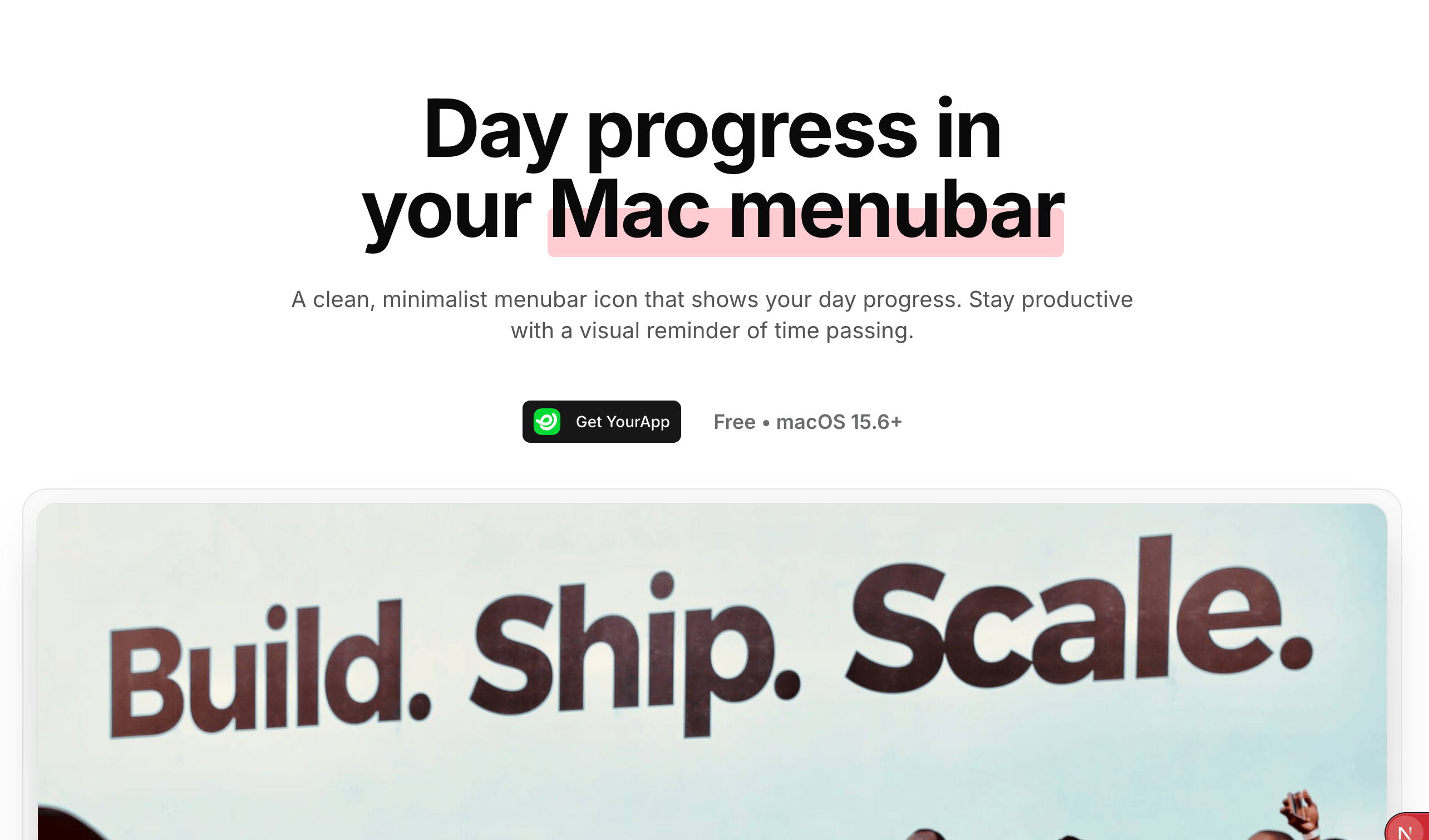
hero-centered-preview

Centered

Everything centered. Use when your headline is strong.

Setup

1

Choose your layout

Open /app/(public)/page.tsx
import Hero from '@/components/Hero'              // Side-by-side
// OR
import HeroCentered from '@/components/HeroCentered'  // Centered
2

Replace the image

Add your screenshot to /public/hero-image.jpg
3

Update the text

Open your chosen component and change:
  • Headline
  • Description
  • Social proof numbers (or remove if you don’t have real data)

Remove Social Proof

If you don’t have real numbers yet, delete this block:
// In Hero.tsx - delete this entire section
<div className="flex flex-col sm:flex-row items-center...">
  {/* Avatars and stats */}
</div>

Remove Rating Badge

// Comment out or delete
<RatingBadge />

Test: Show your hero to someone for 3 seconds. Can they explain what you do? If not, simplify.
Set up Stripe first: Add your price ID to config.stripe.plans[0].priceId in /config.ts